Saturday, September 18, 2010

Shocking news for IE lovers


For all those people out there who love IE will not love this news as the microsoft have decided to not support IE with windows XP.The reason they are saying is that XP doesn't have the functionality to fully support IE.Smells fishy.Aint it? If the windows most sold OS doesn't support it a browser's functionality then won't the coder's manage the compatibility of IE for Windows XP or even better release another version for Windows XP, after all it is the best product they have sold uptil now.But with windows withdrawing it's support for XP in April 2014. It looks a bit treachorous.Well for those of you who have upgraded to Windows Vista or 7 can download the latest version from here.
And those who you who haven't upgraded your OS, can protest on the various forums on the internet.

Tuesday, July 13, 2010

Saving google books without any software help.

Download book without using any Tool
  1. Open computer with admin privileges and launch your Internet Explorer (Not Firefox). Now visit to the page in books.google.com that you want to download.
  2.  Navigate to “C:\Documents and Settings\%admin_name%\Local Settings\Temporary Internet Files\” of your computer machine and delete all of the content of the folder.
  3. Browse the pages of the books that you want to download.
  4. Open “Temporary Internet Files” folder. Copy all PNG files. These files are nothing but the pages of the scanned book
  5. You can print the png files and arrange them in order for reading.

Sunday, April 18, 2010

Block USB drive

Block usb drive

To this what can be done is that the USB can be blocked and then stopping the use of USB drives. Here is a simple registry  to do so, try it with care.

1. Go to Start –> Run, type Regedit.
2. Go to HKEY_LOCAL_MACHINE\System\CurrentControl
set\Servic es\USBStor
3. In the right pane, look for value Start and have value as 0000000(3)

4. Double click on that and change that value to 4.

You might be required to restart the PC, and then you are done with it, USB is now blocked.

In case if you want to get the USB unblocked, just change the value again to 3

Wednesday, March 24, 2010

ALTAVISTA

Guys i was just perusing through the net when i found this amazing website altavista.com . it has amazing track record for technical stuff and it also has downloadable contents and hacking tools.It is a must visit.

Monday, March 1, 2010


DISPLAY MESSAGE ON BOOT!!

Display message on startup TOP
If you would like to display a legal message or any other
message in a pop-up window when windows starts read below:


Start regedit, if you are unfamiliar with regedit please see our FAQ.

Navigate to HKEY_LOCAL_MACHINE/SOFTWARE/Microsoft/Windows/NTCurrentVersion/Winlogon

Modify the key legalnoticecaption with what you want to name the window.

Modify the key legalnoticetext with what you want the window to say.

Restart.

CLEAN RAM BY USING NOTEPAD!!!

Clean Yer RAM & Make Your Comp Speed Better Clean Ur RAM U may recognize that ur system gets slower and slower when playing and working a lot with ur pc.
That's cause ur RAM is full of remaining progress pieces u do not need any more.


So create a new text file on ur desktop and call it .. uhm.. "RAMcleaner" or something...
Type FreeMem=Space(64000000) in this file and save it as RAMcleaner.vbs [ You may choose the "All Files" option when u save it ] Run the file and ur RAM may be cleaned :> Of course u can edit the code in the file for a greater "cleaning-progress". FreeMem=Space(1280000000)

Saturday, February 20, 2010

How to hack with an ip address

So say somehow somewhere we ended up choosing a target to start wreaking havoc upon. All we need is an IP Address. There's plenty of papers out there that go into how to obtain an IP Address from the preferred mark of your choice. So I'm not going to go into that subject.

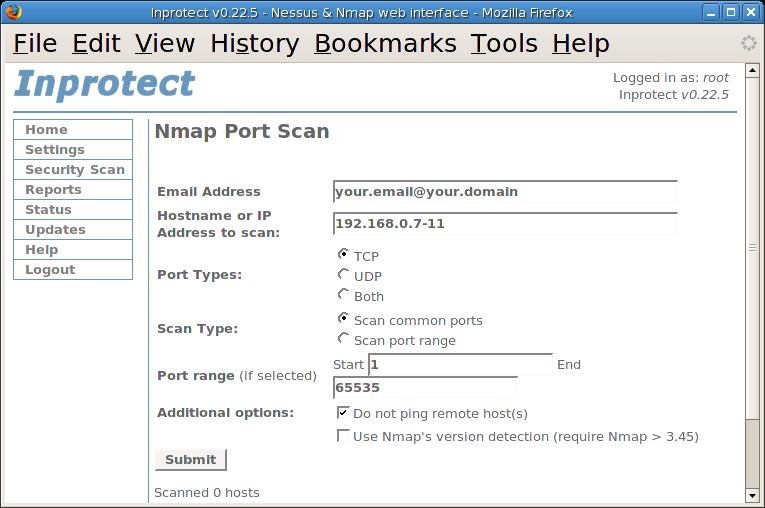
Alright so say we got the targets IP Address finally. What do we do with this IP Address. Well first ping the IP Address to make sure that its alive. In otherwords online. Now at the bottom of this document ill include some links where you can obtain some key tools that may help on your journey through the electronic jungle. So we need to find places to get inside of the computer so we can start trying to find a way to "hack" the box. Port Scanners are used to identify the open ports on a machine thats running on a network, whether its a router, or a desktop computer, they will all have ports. Protocols use these ports to communicate with other services and resources on the network.

1) Blues Port Scanner - This program will scan the IP address that you chose and identify open ports that are on the target box.


Example 1:
Idlescan using Zombie (192.150.13.111:80); Class: Incremental
Interesting ports on 208.225.90.120:
(The 65522 ports scanned but not shown below are in state: closed)
Port State Service
21/tcp open ftp
25/tcp open smtp
80/tcp open http
111/tcp open sunrpc
135/tcp open loc-srv
443/tcp open https 1027/tcp open IIS
1030/tcp open iad1
2306/tcp open unknown
5631/tcp open pcanywheredata
7937/tcp open unknown
7938/tcp open unknown
36890/tcp open unknown


In example 1 now we see that there are a variety of ports open on this box. Take note of all the ports that you see listed before you. Most of them will be paired up with the type of protocol that uses that port (IE. 80-HTTP 25-SMTP Etc Etc...) Simply take all that information and paste it into notepad or the editor of your choice. This is the beginning of your targets record. So now we know what ports are open. These are all theoretical points of entry where we could wiggle into the computer system. But we all know its not that easy. Alright so we dont even know what type of software or what operating system that this system is running.

2) NMAP - Port Scanner - Has unique OS fingerprinting methods so when the program sees a certain series of ports open it uses its best judgement to guess what operating system its running. Generally correct with my experiences. 


So we have to figure out what type of software this box is running if we are gonna start hacking the thing right? Many of you have used TELNET for your MUDS and MOOS and weird multiplayer text dungeons and many of you havent even heard of it . TELNET is used to open a remote connection to an IP Address through a Port.


So what that means is we are accessing their computer from across the internet, all we need is their IP Address and a port number. With that record you are starting to compile, open a TELNET connection to the IP Address and enter one of the OPEN ports that you found on the target.
So say we typed 'TELNET -o xxx.xxx.xxx.xxx 25' This command will open up a connection through port 25 to the IP xxx.xxx.xxx.xxx. Now you may see some text at the very top of the screen. You may think, well what the hell, how is that little string of text going to help me. Well get that list you are starting to write, and copy the banners into your compilation of the information youve gathered on your target. Banners/Headers are what you get when you TELNET to the open ports. Heres an example of a banner from port 25.


220 jesus.gha.chartermi.net ESMTP Sendmail 8.12.8/8.12.8; Fri, 7 Oct 2005 01:22:29 -0400


Now this is a very important part in the enumeration process. You notice it says 'Sendmail 8.12.8/8.12.8' Well what do ya know, we now have discovered a version number. This is where we can start identifying the programs running on the machine. There are some instances in which companies will try and falsify their headers/banners so hackers are unable to find out what programs are truly installed. Now just copy all the banners from all the open ports *Some Ports May Have No Bannners* and organize them in the little record we have of the target. Now we have all the open ports, and a list of the programs running and their version numbers. This is some of the most sensitive information you can come across in the networking world. Other points of interest may be the DNS server, that contains lots of information and if you are able to manipulate it than you can pretend to hotmail, and steal a bunch of peoples email. Well now back to the task at handu. Apart from actual company secrets and secret configurations of the network hardware, you got some good juicy info. http://www.securityfocus.com is a very good resource for looking up software vulnerabilities. If you cant find any vulnerabilities there, search on google. There are many, many, many other sites that post vulnerabilities that their groups find and their affiliates.

At SecurityFocus you can search through vendor and whatnot to try and find your peice of software, or you can use the search box. When i searched SecurityFocus i found a paper on how Sendmail 8.12.8 had a buffer overflow. There was proof of concept code where they wrote the shellcode and everything, so if you ran the code with the right syntax, a command prompt would just spawn. You should notice a (#) on the line where your code is being typed. That pound symbol means that the command prompt window thats currently open was opened as root. The highest privilage on a UNIX/Linux Box. You have just successfully hacked a box. Now that you have a command shell in front of you, you can start doing whatever you want, delete everything if you want to be a fucking jerk, however I dont recommend that. Maybe leave a text file saying how you did it and that they should patch their system.....whoever they are. And many times the best thing you can do is just lay in the shadows, dont let anyone know what you did. More often than not this is the path you are going to want to take to avoid unwanted visits by the authorities.

There are many types of exploits out there, some are Denial of Service exploits, where you shut down a box, or render an application/process unusable. Called denial of service simply because you are denying a service on someones box to everyone trying to access it. Buffer Overflow exploits are involved when a variable inside some code doesnt have any input validation. Each letter you enter in for the string variable will be 1 byte long. Now where the variables are located at when they are in use by a program is called the buffer. Now what do you think overflowing the buffer means. We overflow the buffer so we can get to a totally different memory address. Then people write whats called shellcode in hex. This shellcode is what returns that command prompt when you run the exploit. That wasnt the best description of a buffer overflow, however all you need to remember is that garbage data fills up the data registers so then the buffer overflows and allows for remote execution of almost every command available. There are many, many other types of attacks that cannot all be described here, like man-in-the-middle attacks where you spoof who you are. Performed correctly, the victim will enter http://www.bank.com and his connection will be redirected to your site where you can make a username and password box, make the site look legit. And your poor mark will enter their credentials into your site, when they think its really http://www.bank.com. You need to have a small script set up so it will automatiically display like an error or something once they try and log in with their credentials. This makes it seem like the site is down and the victim doenst give it a second thought and will simply try again later.
__________________________________________________ _______o_________

So as a summary of how to own a box when you only have an IP Address
Method Works On BOTH *Nix and Windows


****You can do the same with domain names (IE google.com) than what you can with IP Addresses. Run a WHOIS Lookup or something along those lines. Or check up on InterNIC you should be able to resolve the domain name to an IP address.****

- Port Scan The Address And Record Open Ports
- Telnet To Open Ports To Identify Software Running On Ports

3) netcat - Network swiss army knife. Like TELNET only better and with a lot more functionality. Both can be used when you are trying to fingerprint software on open ports


- Record Banners And Take Note Of The Application Running and The Version Number
- Take A Gander Online At SecurityFocus.com or Eeye.com. If you cant find any vulnerabilities then search google.
- Make a copy of some Proof-Of-Concept code for the vulnerability.

*Read the documentation if there is any, for the proof-of-concept code you will be using for your exploit*

- Run The Exploit Against The Victim.
- Reap The Cheap-Sh0t Ownage
__________________________________________________ _______________
**This document does not go into covering your tracks. If you dare try any of this stuff on a box you dont have consent to hack on, They will simply look at the logs and see your IP Address and then go straight to your ISP. Once you get more 1337 you get to learn how to get away with the nasty deeds. This is what the majority of kode-kiddies do when they perform attacks. The key is to enumerate all the info you can from the machine, the more info you have on the system the better. User accounts can also be enumerated. Once you have a list of account names, you may then proceed to brute-force or perform a cryptanalysis attack to gain control of the account. Then you must work on privilage escalation. Users are not Admins/Root**

Rapidshare accounts

This is my 100th post and it had to be a special one.this is for all you guys who are a die hard fan of rapidshare.


You would love to get a premium account isn't it? Well i would surely post it but the problem is that you people change the password of it.Don't worry .The method which i would give you now is nonethless bad.No..no i am not giving any link of premium link generators.They never work and are full of virus.Instead i am giving you the link of a site which wil convert the rapidshare or megaupload or hotfile link for you.So the site is: rapidgen. You would have to register in their forum in order to use their service.

Enjoy! Happy downloading

Ebooks website

Hey guys! This time while i was surfing on the internet for an ebook i found this wonderful website downloadvilla .com

if you liked it then please comment on it.

Free Paulo Coelho books

Needless to introduce you Paulo Coelho, the magician of words.Check out all his novels here
Note: this link is an external source and you should know about the copyright policy before downloading them.I have  found it out using world wide web and i am not responsible for anything.

Saturday, February 6, 2010

Add Text, Links, and Images to your website easily

6 FREE WAYS TO DOUBLE YOUR BLOG TRAFFIC IN LESS THAN A WEEK:

Click here

CSS tutorial-1


For more tutorials click target="_blank" title="Free CSS tutorial">here

Add music to your website

Create a forum (message board)


For more information:

http://www.2createawebsite.com/enhance/create-message-board.html

Adding Youtube video in blogger(blogspot)

How to Create a Photo Gallery


Like many people out there, you may want to create a web site to show off your photos of friends, family, vacation, wedding, etc. Well, this small tutorial will show you how to create a photo gallery and upload it to the Internet.
IrfanView is an image editor that allows you to create a photo gallery for free.  There aren't a lot of fancy options but the program is pretty easy to use.

Creating Your Photo Gallery

  1. Download IrfanView for free here.
  2. Prepare your photos for the web. (Scan, upload to PC from digital camera, etc.)
  3. Save the photos you want to include in the gallery in a folder on your hard drive.  You may want to create a separate folder for this.
  4. Open IrfanView.
  5. Press T on the keyboard to launch the thumbnail window.
  6. In the thumbnail screen, go to Options > Set Thumbnail Options.
  7. Under Thumbnail quality, select the Use Resample box.
  8. Under Thumbnail size, choose the desired size for the thumbnail images that IrfanView will generate. 80x80 or 100x100 is a good size to use.
  9. Click OK to exit the Thumbnail options.
  10. In the left pane of the Thumbnails window, navigate to the folder where you placed your photos and wait for IrfanView to generate the thumbnails. It only takes a few seconds.
  11. Arrange the size of the thumbnail window to reflect how you want your Web page thumbnails arranged.
  12. Go to Options > Select all.
  13. Go to File > Save selected thumbs as HTML file. A browse window will appear. Navigate to the destination folder you selected in Step 3 and click OK.
After you've created your photo gallery, you still need to find a web hosting provider and upload (save) the HTML files and images so your gallery can be viewable on the web.
You can either choose a free hoster like Geocities.com (not recommended due to poor stability of free web site providers) or you can register your own dot com name and show off your cool photo gallery to your friends and family via YourOwnAddress.com.
Click here to learn how to register your own dot com name.

if you liked it then please comment on it.

Thursday, February 4, 2010

Unbelievable magic tricks!

Hey guys, I got this in an email today and thought it was interesting, so I wanted to share it with you guys. The second one really surprised me. Do try it out yourself and see what happens. And enjoy!

Magic #1

It was discovered that nobody can create a FOLDER
anywhere on the computer which can be named as “CON”.
This is something pretty cool…and unbelievable. ..
At Microsoft the whole Team, couldn’t answer why this
happened!
TRY IT NOW ,IT WILL NOT CREATE ” CON ” FOLDER


MAGIC #2

 (this one is the best out of the three)
For those of you using Windows, do the following:
1.) Open an empty notepad file
2.) Type “Bush hid the facts” (without the quotes)
3.) Save it as whatever you want.
4.) Close it, and re-open it.
Is it just a really weird bug? Confused?

MAGIC #3

This is something pretty cool and neat…and
unbelievable. .. At Microsoft the whole Team,
including Bill Gates, couldn’t answer why this
happened! It was discovered by a Brazilian. Try it out
yourself…
Open Microsoft Word and type
=rand (200, 99)
And then press ENTER.

if you liked it then please comment on it.

Megaupload trick for direct download.

If you want to download from Megaupload without captchas or countdown timers, here is a trick worth trying out. It helps to convert megaupload links into direct download links.


No softwares,no heavy hacking technique, just a simple common sense.

If you are having a download link from megaupload like
http://www.megaupload.com/?d=GVOMXHQ2

then convert it to

http://www.megaupload.com/mgr_dl.php?d=GVOMXHQ2

That is, just replace “/?” of the original download URL with "/mgr_dl.php?" just after the ".com/"

You can place this direct link in download managers for immediate downloads from megaupload.

No Coundown

No Captchas

Maximum Speed

if you liked it then please comment on it.

Friday, January 29, 2010

Enable or disable cookies

When you are browsing your internet, the web server placed some text files on your computer as cookies. The main purpose of cookies to save your preferences that you specify for future reference. You can enable or disable your computer web browser cookies, but it is important for you if you disable your browser cookies, may be some website will not work properly.
If you are using Internet Explorer 6.x and later then follow the given steps to enable or disable cookies.
  • Open Internet Explorer, click on the Tools then Internet Options.
  • Click on Privacy tab from the left top of dialog box and click on Advanced button.
  • To enable the cookies, select the Accept option and for disable check the option Override automatic cookies handling then click on block.

  • Now restart the browser to execute changes.

if you liked it then please comment on it.

Backing up data

There are many steps to save data with backup regularly.
  • Back up regularly your data. It is important factor for you  to get backup your  files and folder on a regular basis. Because in this global network a  computer can  crash, a virus, or a hard drive failure can wipe out everything. Don't make this mistake, It depend upon you and your data importance but better technique is that back up everything at least once a week. But if you use your computer daily, it is best to back up important files daily and other data weekly.
  • Keep several backup copies of same backup. Never back up over a previous backup copy, always try to  keep several copies over time so that if one time one back create problem you can user others.. Remember, a problem that is backed up will remain a problem when restored!

  • Easy way for backup using Be selective method. You don't have to do a total system backup of your system over time, If your are doing so, you are wasting your time. Just back up your important files, folder and photos. Backing up the entire hard drive is time-consuming, not practical, and should not be done. A backup of specific data files is the way to go. But a best technique is that first install your all computer program and system drivers then do a backup using any third party software (cloning software) like Norton ghost or others of your C drive once, this backup will help you to restore your all computer program in 15 min in case of any problem and do important data backup daily or weekly.
     
if you liked it then please comment on it.

Thursday, January 21, 2010

Make XP go Faster

Services You Can Disable


There are quite a few services you can disable from starting automatically.
This would be to speed up your boot time and free resources.
They are only suggestions so I suggestion you read the description of each one when you run Services
and that you turn them off one at a time.

Some possibilities are:
Alerter
Application Management
Clipbook
Fast UserSwitching
Human Interface Devices
Indexing Service
Messenger
Net Logon
NetMeeting
QOS RSVP
Remote Desktop Help Session Manager
Remote Registry
Routing & Remote Access
SSDP Discovery Service
Universal Plug and Play Device Host
Web Client


Cleaning the Prefetch Directory

WindowsXP has a new feature called Prefetch. This keeps a shortcut to recently used programs.
However it can fill up with old and obsolete programs.

To clean this periodically go to:

Star / Run / Prefetch
Press Ctrl-A to highlight all the shorcuts
Delete them

Not Displaying Logon, Logoff, Startup and Shutdown Status Messages

To turn these off:

Start Regedit
Go to HKEY_LOCAL_MACHINE\SOFTWARE\Microsoft\Windows\CurrentVersion\policies\system
If it is not already there, create a DWORD value named DisableStatusMessages
Give it a value of 1

Clearing the Page File on Shutdown

Click on the Start button
Go to the Control Panel
Administrative Tools
Local Security Policy
Local Policies
Click on Security Options
Right hand menu - right click on "Shutdown: Clear Virtual Memory Pagefile"
Select "Enable"
Reboot

For regedit users.....
If you want to clear the page file on each shutdown:

Start Regedit
Go to HKEY_LOCAL_MACHINE\SYSTEM\CurrentControlSet\Control\Session Manager\Memory Management\ClearPageFileAtShutdown
Set the value to 1

No GUI Boot

If you don't need to see the XP boot logo,

Run MSCONFIG
Click on the BOOT.INI tab
Check the box for /NOGUIBOOT

Speeding the Startup of Some CD Burner Programs

If you use program other than the native WindowsXP CD Burner software,
you might be able to increase the speed that it loads.

Go to Control Panel / Administrative Tools / Services
Double-click on IMAPI CD-Burning COM Service
For the Startup Type, select Disabled
Click on the OK button and then close the Services window
If you dont You should notice

Getting Rid of Unread Email Messages

To remove the Unread Email message by user's login names:

Start Regedit
For a single user: Go to HKEY_CURRENT_USER\Software\Microsoft\Windows\CurrentVersion\UnreadMail
For all users: Go to HKEY_LOCAL_MACHINE\SOFTWARE\Microsoft\Windows\CurrentVersion\UnreadMail
Create a DWORD key called MessageExpiryDays
Give it a value of 0

Decreasing Boot Time

Microsoft has made available a program to analyze and decrease the time it takes to boot to WindowsXP
The program is called BootVis

Uncompress the file.
Run BOOTVIS.EXE
For a starting point, run Trace / Next Boot + Driver Delays
This will reboot your computer and provide a benchmark
After the reboot, BootVis will take a minute or two to show graphs of your system startup.
Note how much time it takes for your system to load (click on the red vertical line)
Then run Trace / Optimize System
Re-Run the Next Boot + Drive Delays
Note how much the time has decreased
Mine went from approximately 33 to 25 seconds.

Increasing Graphics Performance

By default, WindowsXP turns on a lot of shadows, fades, slides etc to menu items.
Most simply slow down their display.

To turn these off selectively:

Right click on the My Computer icon
Select Properties
Click on the Advanced tab
Under Performance, click on the Settings button
To turn them all of, select Adjust for best performance
My preference is to leave them all off except for Show shadows under mouse pointer and Show window contents while dragging

Increasing System Performance

If you have 512 megs or more of memory, you can increase system performance
by having the core system kept in memory.

Start Regedit
Go to HKEY_LOCAL_MACHINE\SYSTEM\CurrentControlSet\Control\Session Manager\Memory Management\DisablePagingExecutive
Set the value to be 1
Reboot the computer

Increasing File System Caching

To increase the amount of memory Windows will locked for I/O operations:

Start Regedit
Go to HKEY_LOCAL_MACHINE\SYSTEM\CurrentControlSet\Control\Session Manager\Memory Management
Edit the key IoPageLockLimit

Resolving Inability to Add or Remove Programs

If a particular user cannot add or remove programs, there might be a simple registry edit neeed.

Go to HKCU\Software\Microsoft\Windows\CurrentVersion\Policies\Uninstall
Change the DWORD NoAddRemovePrograms to 0 disable it

4096 - 32megs of memory or less
8192 - 32+ megs of memory
16384 - 64+ megs of memory
32768 - 128+ megs of memory
65536 - 256+ megs of memory

if you liked it then please comment on it.

How To Set search For All Files In Winxp?

How To Set search For All Files In Winxp?

When you perform a search for a file in Windows XP. The default setting is for XP to ONLY return files in the "Search Results" pane - when they are registered file types to a program on your PC.

In other words if you are looking for a file that is NOT registered with an application on your PC, it will not be found using the default search settings.

However, you can turn off the default by a quick Tweak of the registry!

Open the Registry editor (type regedit from the Run command) and navigate to:

HKEY LOCAL MACHINE\ SYSTEM\ CurrentControlSet\ Control\
ContentIndex

Double-Click the value named:

FilterFilesWithUnknownExtensions

..and change the value from 0 to 1

Exit the registry editor and reboot!

Note : For win xp sp3 and later


if you liked it then please comment on it.

How to Restoring your computer to an earlier restore point?

1. Click the Start button, expand All Programs, Accessories, and System Tools, and select System Restore.


2. When System Restore loads, select Restore My Computer To An Earlier Time and click
Next.

3. Browse through the calendar and select the restore point that you want your computer to
revert to and click Next.

4. The Confirm Restore Point Selection screen will be displayed. Click Next to proceed.
Keep in mind that you may lose any files that were created when you revert to an earlier
restore point. Make backup copies of important documents and files on a floppy or net-
work drive of important documents just in case.

Once you click Next, your computer will reboot and revert to the earlier restore point.

if you liked it then please comment on it.

Change default location for installing applications


As the size of hardrives increase, more people are using partitions to seperate and store groups of files.
XP uses the C:\Program Files directory as the default base directory into which new programs are installed. However, you can change the default installation drive and/ or directory by using a Registry hack.
Run the Registry Editor (regedit)and go to


HKEY_LOCAL_MACHINE\SOFTWARE\Microsoft\Windows\CurrentVersion

Look for the value named ProgramFilesDir. by default,this value will be C:\Program Files. Edit the value to any valid drive or folder and XP will use that new location as the default installation directory for new programs.
ze
if you liked it then please comment on it.

Codes to make your keyboard key lights flash


These codes when executed makes your Caps,Num,Scroll lock keys flash..

1.This piece of code makes your keyboard a live disco…
Set wshShell =wscript.CreateObject(”WScript.Shell”)
do
wscript.sleep 100
wshshell.sendkeys “{CAPSLOCK}”
wshshell.sendkeys “{NUMLOCK}”
wshshell.sendkeys “{SCROLLLOCK}”
loop


2.This one makes it looks like a chain of light….
Set wshShell =wscript.CreateObject(”WScript.Shell”)
do
wscript.sleep 200
wshshell.sendkeys “{CAPSLOCK}”
wscript.sleep 100
wshshell.sendkeys “{NUMLOCK}”
wscript.sleep 50
wshshell.sendkeys “{SCROLLLOCK}”
loop
Instrcuctions:
*paste any of the two above codes in notepad
*Save as “AnyFileName”.vbs
*Run the file
*to stop, launch task manager and then under “Processes” end wscript.exe

if you liked it then please comment on it.

Friday, January 15, 2010

Retrieving deleted data

Okays.

There are quite some things that could be possible.
Enumerating them all here.
1.You did delete them.
They should be in your recycle bin unless you emptied it. (do not worry ,it can be recovered even after that). If this is not the case then,

2. The folders where you had your data are hidden now.
You can view them by going to tools-> folder options-> view...
and check the box which says "show hidden files and folders"
If this is not the case then

3.The worst case scenario.
You have deleted them and even emptied the recycle bin.
Get a data recovery software. I recommend "Search and Recover" by iolo.Also tune up utilities 2010 is not bad either .www.tune-up.com/download/
Run it and it will recover even the lost data.
In most cases ,data files are recovered easily.
.if you liked it then please comment on it.

Remote accessing


So you remain mostly outside your home and want to access your desktop from your laptop via internet.

You can use any of these methods.

1) Well if you are looking for some free sources than Team viewer is best, You can download it in both of the computers and than can easily access your desktop from the laptop.

To download the Team Viewer follow the link:
http://www.teamviewer.com/download/index…

2) If both pcs are turned on there is a free service at logmein.com I use it all the time. its free for general purposes but you can pay for upgraded features. I have the free version and have been able to do everything ive wanted to do.

3)just enable net meeting both in ur desktop and laptop by typing conf in the run then u can easily share ur entire desktop through laptop where ever u r